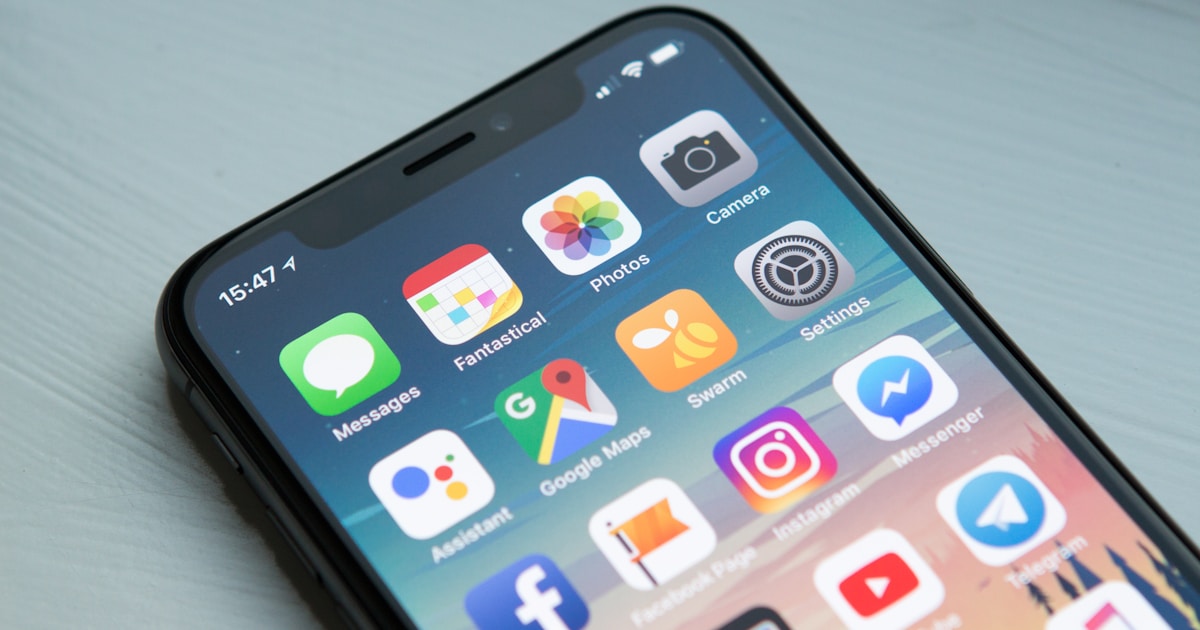
Staying connected in Japan has never been easier — or more important. With Google Maps navigating train systems, Google Translate deciphering menus, and booking apps reserving last-minute restaurants, your smartphone is genuinely essential travel infrastructure in Japan. This guide covers every way to get data on your phone in Japan, which option suits which traveler, and the practical steps to get connected the moment you land.
Why You Absolutely Need Data in Japan
Japan’s public WiFi, while improving, remains patchy compared to many Asian countries. Major train stations and tourist areas have free WiFi (look for “Japan Connected-free Wi-Fi” hotspots), but coverage drops in transit, residential neighborhoods, and rural areas. Relying solely on free WiFi means being disconnected exactly when you need navigation most — on the train between stations, walking unfamiliar streets, looking up the address of a restaurant you want to find.
Having mobile data in Japan enables: real-time Google Maps navigation (essential for navigating complex train systems), Google Translate camera mode for Japanese text, OpenStreetMap for offline backup, instant restaurant searches, mobile payment via your home bank’s app, communication via WhatsApp or Line, and the Japan Official Travel App for real-time transport updates.
Option 1: Tourist SIM Card
A tourist SIM card is the most convenient solution for most visitors. You insert a physical SIM into your phone and get a Japanese data connection immediately. Here’s what you need to know:
Where to buy: At the airport immediately on arrival (Narita, Haneda, Kansai International all have SIM vending machines and kiosks before you even exit customs), at electronics stores (Yodobashi Camera, BicCamera), or online before departure for pickup at the airport.
Top tourist SIM providers:
IIJmio Tourist SIM — One of the most reliable and popular. Uses NTT Docomo’s network (best coverage in Japan, including rural areas). Available in 7-day (¥2,200) and 15-day (¥3,300) unlimited data options. Available at airports and major electronics stores.
B-Mobile Visitor SIM — Simple setup, uses Docomo network. 21-day unlimited data for approximately ¥3,980. Good choice for longer trips.
Docomo Tourist SIM — NTT Docomo’s own tourist offering. Premium network reliability. 7-day unlimited for ¥3,300; 30-day for ¥6,600. Slightly more expensive but Docomo’s network has the best rural coverage in Japan.
Sakura Mobile SIM — English-language support, multiple duration options. Good choice for travelers who want to pre-order and have the SIM mailed to their home country before departure.
Important limitations: Most tourist SIM cards are data-only — you cannot make or receive calls with a Japanese phone number. This is sufficient for 99% of tourist needs (WhatsApp and LINE work for calls over data), but if you need to call Japanese phone numbers (some restaurants require reservations), you’ll need a voice-capable SIM or a different solution.
Unlock requirement: Your phone must be unlocked to use a foreign SIM. Phones purchased directly (not from a carrier on contract) are typically unlocked. If you purchased your phone from a carrier (AT&T, Verizon, O2, etc.), check with them about unlocking before your trip.
Option 2: eSIM
eSIM (embedded SIM) is the modern alternative to physical SIM cards — no physical card needed, just a QR code you scan to activate a virtual SIM profile on your compatible phone. eSIM is now supported on all recent flagship phones: iPhone XS and later, Google Pixel 3 and later, Samsung Galaxy S21 and later, and many other models.
Advantages of eSIM:
No waiting for a SIM card or visiting a shop — activate from home before departure
Keep your regular SIM in your phone while using the eSIM for Japan data
Can be purchased and installed anytime before your trip
Typically cheaper than physical SIMs for similar data allowances
Disadvantages:
Not all phones support eSIM
Some eSIM providers have slower network performance than premium physical SIM providers
Carrier-locked phones may not support secondary eSIM profiles
Best Japan eSIM providers:
Airalo Japan eSIM — The largest global eSIM marketplace. Japan data plans from approximately $4.50/1GB to $25/20GB. Uses SoftBank or IIJ networks. Instant purchase and activation through the Airalo app. Excellent for short trips.
Holafly Japan eSIM — Unlimited data plans from approximately $19 for 5 days to $37 for 15 days. Uses SoftBank network. Popular with travelers for the unlimited data certainty.
Ubigi Japan — Uses NTT Docomo’s network (premium coverage). Data plans from approximately $6/1GB.
Klook Japan eSIM — Competitively priced, available through the Klook travel app. Multiple duration options.
How to set up an eSIM:
1. Purchase your eSIM plan from the provider’s app or website
2. Receive a QR code via email
3. On your iPhone: Settings → Mobile Data → Add Data Plan → scan QR code
4. On Android: Settings → Connections → SIM Manager → Add eSIM → scan QR code
5. Set the eSIM as your data SIM in your phone settings
Option 3: Pocket WiFi (Mobile WiFi Router)
A pocket WiFi is a small portable router that creates a personal WiFi hotspot. One device can connect multiple devices (phones, tablets, laptops) simultaneously — making it ideal for groups or travelers with multiple devices.
Best for: Groups of 2–5 travelers; business travelers needing laptop connectivity; travelers with multiple devices.
How it works: Reserve online before your trip, pick up at the airport on arrival (from the provider’s counter — most are near arrivals), use throughout your trip, return at the airport before departure.
Top pocket WiFi providers:
Ninja WiFi — Unlimited data, ¥700–¥900/day. NTT Docomo network. Free airport pickup and return. English-language support.
Global Advanced Communications (JCOM) — Multiple plans, unlimited data available. ¥600–¥900/day.
eConnect Japan — Competitive pricing, multiple network options.
Disadvantages of pocket WiFi:
An extra device to carry and charge (typically needs charging every 8–12 hours)
If the device is lost or damaged, connectivity for the whole group is lost
Can be disconnected from WiFi when phone enters sleep mode — wake your phone to reconnect
Not practical for solo travelers (SIM or eSIM is cheaper and more convenient)
Option 4: International Roaming from Your Home Carrier
Many international carriers offer Japan roaming at reasonable rates — a legitimate option for short trips where simplicity matters more than cost optimization.
Examples (prices change, verify before travel):
T-Mobile (US) — Free unlimited international data (at 2G speeds) + texting with Magenta and higher plans. Upgrade to “International Pass” for high-speed data at $5/day.
AT&T (US) — International Day Pass: $10/day for use of your domestic plan. Good value for 1–3 days, expensive for longer trips.
Verizon (US) — TravelPass: $10/day for daily access to your domestic plan.
EE (UK) — Japan roaming charged at 1p/MB or £5/100MB depending on plan.
Telstra (Australia) — Day Pass roaming ¥15 AUD/day in selected plans.
Check with your carrier before departure — prices and plans change frequently, and some carriers have added Japan to included international destinations in their premium plans.
Free WiFi in Japan: Where to Find It
Even if you have a paid data connection, knowing the free WiFi landscape helps extend battery and data allowance:
Japan Connected-free Wi-Fi — A nationwide free WiFi network available at airports, major train stations, convenience stores, and tourist information centers. Download the official “Japan Connected-free Wi-Fi” app before arrival for easy connection to all hotspots without re-registering each time.
7-Eleven WiFi — Available at all 7-Eleven convenience stores (approximately 21,000 locations). Connect via the “7SPOT” network. Free with simple registration.
FamilyMart and Lawson WiFi — Similar free WiFi at Japan’s other major convenience store chains.
McDonald’s, Starbucks — Free WiFi at all Japanese locations. Particularly useful when you need a reliable, fast connection for larger downloads or video calls.
Major train stations — Tokyo, Shinjuku, Shibuya, Kyoto, Osaka, and most other major stations have free WiFi. Connect while waiting for trains.
Comparing Options: Quick Decision Guide
Solo traveler, 1–2 weeks → eSIM (cheapest, no extra hardware) or tourist SIM (best network performance)
Couple or small group, sharing a connection → Pocket WiFi (cost-effective at ¥700/day shared among multiple people)
Business traveler needing laptop connectivity → Pocket WiFi or travel router with tourist SIM
Short trip (3–5 days), already paying for international roaming → Check if your carrier’s plan is competitive — may not be worth buying a separate SIM
Long trip (3+ weeks) → Monthly Japanese SIM (IIJmio, Rakuten Mobile) or 30-day tourist data SIM
Traveling to rural areas → Prioritize NTT Docomo network (best rural coverage) — specifically IIJmio, Ubigi, or Docomo-branded SIMs
Essential Apps to Download Before Departure
Once you have connectivity, these apps make Japan travel significantly easier:
Google Maps — Download offline maps of the regions you’ll visit before departure. Even with data, offline maps load faster and work perfectly in Japan.
Google Translate — Essential for menus, signs, and communication. The camera mode (point at text for instant translation) is invaluable. Download Japanese language pack for offline use.
Hyperdia or Japan Official Travel App — Comprehensive Japanese train route planning with JR Pass compatibility filters.
Suica / PASMO apps — Digital IC card on iPhone (requires Japanese credit card for top-up, or add yen via foreign card at stations).
LINE — Japan’s dominant messaging app. Many Japanese businesses and guesthouses communicate via LINE.
PayPay — Japan’s most popular mobile payment app. Limited to Japanese bank accounts, but useful to know about when merchants display it.
Tabelog or Gurunavi — Japanese restaurant discovery with English interfaces available.
Tips for Getting the Best Connection
Test your SIM at the airport before leaving. Whether it’s a physical SIM, eSIM, or pocket WiFi, verify connectivity before leaving the airport. If there’s a problem, you can resolve it immediately with the provider nearby.
Enable WiFi calling on your home SIM. Keep your home SIM in the phone with WiFi calling enabled. This lets you receive calls from your home country over WiFi without roaming charges — useful for staying connected with family.
Carry a portable battery. Mobile data usage drains phone batteries faster than normal. A 10,000–20,000 mAh portable battery is essential Japan travel gear — it’ll save you when you’re navigating unfamiliar stations with 10% battery.
Download content for offline use. Spotify and other streaming apps allow offline playlist downloads. Netflix allows offline video downloads. Reducing streaming over mobile data both preserves your data allowance and reduces battery drain.
Getting connected in Japan is straightforward once you know the options. For most travelers, buying an eSIM before departure or picking up a tourist SIM at the airport are the two best solutions — quick, reliable, and competitively priced. With connectivity sorted, Japan’s complexity becomes navigable and its depth becomes accessible. The smartphone you carry will genuinely enhance your trip in ways that go far beyond convenience.
Plan Your Japan Trip
📱 Get Your Japan eSIM Before You Fly
Airalo offers affordable Japan eSIM plans starting from just a few dollars. Activate instantly on your phone — no physical SIM needed.
Get your Japan eSIM (Stay connected from day 1) →
Compatible with most modern smartphones. Check compatibility before purchasing.
Complete Your Japan Trip Preparation
You’ve sorted your SIM card — now secure your accommodation! Book early for the best rates, especially during cherry blossom season and Golden Week.
🏨 Book Your Japan Hotel on Agoda →
Best prices • Free cancellation • 2M+ properties worldwide
Japan SIM Card vs. Pocket WiFi vs. International Roaming: Full Comparison
Visitors to Japan have three main options for staying connected: a Japanese SIM card, a pocket WiFi router, or using their home carrier’s international roaming plan. Here’s an honest comparison of all three to help you choose the right option for your trip.
| Option | Best For | Pros | Cons |
|---|---|---|---|
| Data SIM Card | Solo travelers, couples | Lightweight, uses your own phone, no device to charge | Data-only (no calls/texts on most), one device per SIM |
| Pocket WiFi | Groups, multiple devices | Multiple devices share one connection, often unlimited data | Extra device to carry/charge, must return at end of trip |
| International Roaming | Short trips, business travelers | No setup required, keep your phone number | Most expensive option, often throttled after limited data |
| eSIM | eSIM-compatible phones | Instant activation before trip, no physical card needed | Only works on newer phones, some plans pricier than physical SIM |
Best Japan SIM Cards in 2025: Detailed Reviews
IIJmio Travel SIM
IIJ (Internet Initiative Japan) is one of Japan’s major virtual network operators, running on the NTT Docomo network — Japan’s largest and most reliable carrier. Their travel SIM cards are available at major airports and electronics stores like Yodobashi Camera and Bic Camera.
Data speeds are good throughout the country, including on the Shinkansen. The SIM cards are data-only but this is sufficient for the vast majority of travelers who use messaging apps (LINE, WhatsApp, iMessage) rather than traditional voice calls. IIJ is particularly reliable in rural areas where smaller MVNOs can struggle.
Sakura Mobile SIM
Sakura Mobile markets specifically to international visitors and has English customer support — a significant advantage if something goes wrong. They offer plans in multiple languages and include helpful travel information with the SIM purchase. The data plans are competitive and run on the Docomo network. Their customer service responsiveness sets them apart from the major carriers who offer minimal English support.
Softbank Tourist SIM
Available at the Softbank Airport and select retail locations, the Softbank Tourist SIM targets short-stay visitors with simple unlimited data plans for 7, 15, or 21-day periods. The advantage is simplicity — buy it, insert it, it works. The disadvantage is that it’s data-only and the unlimited data is subject to fair-use throttling after 3GB per day.
eSIM Options: Airalo and Holafly
For travelers with eSIM-compatible devices (iPhone XS and later, many recent Android phones), eSIM providers like Airalo and Holafly offer Japan plans that can be purchased before departure. Activate the plan before landing, and you have data connectivity the moment you step off the plane — no queuing at airport counters required.
Airalo in particular offers competitive Japan data plans starting around $10 USD for 1GB, with larger data bundles available. Holafly offers unlimited data plans for Japan — useful for heavy data users. Check plan terms carefully as “unlimited” may include throttling above daily thresholds.
How to Buy a SIM Card in Japan: Step-by-Step
If you haven’t pre-ordered online, here’s exactly how to purchase a SIM card upon arrival in Japan:
At Narita Airport
Both Terminal 1 and Terminal 2 at Narita Airport have dedicated SIM card vending machines in the arrivals hall (before customs) and multiple carrier counters after customs. IIJ, Docomo, and SoftBank tourist SIMs are all available. The vending machines accept credit cards and often have English interfaces. This is the most convenient purchase option — you’re connected before even boarding the airport train.
At Haneda Airport
The International Terminal at Haneda has a mobile communications corner in the arrivals lobby with multiple carriers represented. The area is well-signposted in English, Chinese, and Korean. Hours are extended to cover late international arrivals.
At Electronics Stores
Yodobashi Camera, Bic Camera, and Yamada Denki in major cities all have dedicated SIM card sections. Staff at these stores often have basic English ability and can help match your phone model with a compatible plan. Prices at electronics stores are competitive with airport prices and sometimes better.
Convenience Stores
7-Eleven convenience stores in Japan (and some other chains) sell prepaid SIM cards from carriers like b-mobile and Mineo. While less choice than at dedicated stores, they’re convenient if you need a SIM after arriving and are already in the city. Note that convenience store SIMs typically require Japanese credit card payment or prepaid payment.
Japan SIM Card: What to Know Before You Buy
Phone Unlocking
Before purchasing a Japanese SIM card, confirm that your phone is SIM-unlocked. Phones purchased directly from carriers in your home country are often locked to that carrier’s network. Check your phone settings (Settings → Mobile Data → SIM Card options on iOS, or contact your carrier). Many carriers unlock phones for free on request.
Nano-SIM vs. Micro-SIM vs. Standard SIM
Most modern smartphones use nano-SIM — the smallest format. Japanese carrier SIM cards typically come with a card that can be punched out in nano, micro, or standard sizes. Confirm your phone’s SIM size before purchasing. If you’re unsure, any electronics store can advise.
APN Settings
Some Japanese SIM cards require manual APN (Access Point Name) configuration to activate data connectivity. The SIM card package will include these settings, or the carrier’s website will provide them in English. On iOS, installing the carrier’s profile (a small configuration file, typically downloaded from a QR code on the package) sets the APN automatically.
Staying Connected in Rural Japan
Japan’s mobile network coverage is excellent in cities and along major transportation corridors including Shinkansen routes. However, some rural areas — particularly in mountain regions of Tohoku, Hokkaido, and the Japanese Alps — have limited or no coverage on MVNO networks that piggyback on the major carriers.
If your itinerary includes significant rural travel (hiking in Daisetsuzan, exploring Shirakawago, walking remote sections of the Kumano Kodo), prioritize a SIM on the NTT Docomo network, which has the widest rural coverage. Softbank and au have good urban coverage but thinner rural reach.
Frequently Asked Questions: Japan SIM Cards
Can I use my UK/US/Australian SIM in Japan?
Yes, but international roaming charges from home carriers are expensive — typically $5–$15 USD per day for limited data. Some plans (like T-Mobile in the US) include free international data but at very slow speeds. For trips of more than a day or two, a Japanese SIM card is almost always more cost-effective.
Do Japanese SIM cards work for phone calls?
Most tourist SIM cards sold in Japan are data-only — they don’t include a local Japanese phone number or voice calling capability. For making calls, use internet-based services: WhatsApp, LINE (popular in Japan), FaceTime, or Skype work well over data connections. If you specifically need to make local calls (to book restaurants, contact accommodation), look for a “voice + data” SIM from carriers like IIJmio, Rakuten Mobile, or Docomo.
Is WiFi widely available in Japan?
Japan’s urban areas have extensive free WiFi at convenience stores, train stations, tourist information centers, and most hotels. However, coverage is inconsistent — many shops and restaurants still don’t offer guest WiFi. Relying solely on free WiFi for navigation in an unfamiliar city creates frustrating gaps. A SIM card or pocket WiFi is strongly recommended for a smooth travel experience.
Can I buy a SIM card before traveling to Japan?
Yes — this is actually the recommended approach for most travelers. Companies like Sakura Mobile, Japan Experience, and IIJmio ship SIM cards internationally, allowing you to receive and test the card before departure. For eSIM users, platforms like Airalo and Holafly sell Japan plans for immediate digital delivery with activation at a time you choose.
Related guides
- Getting from Tokyo to Kyoto: Shinkansen, Bus, and Flight Options Compared
- Japan Shinkansen Guide: How to Ride the Bullet Train Like a Pro
- Japan Rail Pass: Is It Worth It in 2026? (Honest Guide)
Going to Japan? Talk to locals with confidence.
Hirameki Japanese — instant offline translation, camera translation, furigana + romaji, and 314 free flashcards. No login. Works without internet.

Plan your Japan trip
Two things every first-timer should book
Some links are affiliate links. If you book through them we may earn a small commission at no extra cost to you.