In this guide
- eSIM, SIM, pocket WiFi or roaming: the comparison
- Is your phone ready?
- Japan’s mobile networks in brief
- How much data do you need?
- Travel eSIMs compared (October 2026 prices)
- What it costs for a 1-week, 2-week or 1-month trip
- Visitor eSIMs and SIMs from Japanese carriers
- Do you need a Japanese phone number?
- Pocket WiFi: when it still makes sense
- Buying at the airport
- How to set up a travel eSIM, step by step
- Free Wi-Fi in Japan
- What you will use your phone for in Japan
- Families, long stays and repeat visits
- Common problems and quick fixes
- Before-you-fly checklist
- Which option is right for you?
- Jargon explained
- Frequently asked questions
- Plan the rest of your trip
eSIM, SIM, pocket WiFi or roaming: the comparison
You will use your phone constantly in Japan: maps, train times, translation, restaurant bookings and payments. There are four ways to stay connected, and the right one depends on your phone and who you travel with.
| Option | Best for | Pros | Cons |
|---|---|---|---|
| Travel eSIM | Most travelers with a recent phone | Buy and install at home; no pickup or return; cheap; you keep your home SIM in the phone | Phone must support eSIM and be unlocked; data only, no Japanese number |
| Physical SIM card | Phones without eSIM | Works in any unlocked phone; sold at airports and electronics stores | You remove your home SIM; small card easy to lose |
| Pocket WiFi | Groups, families, laptops, older or locked phones | One device connects several phones and computers | Another device to charge and carry; pickup and return; you must stay together |
| Home carrier roaming | Very short trips, business travelers | Nothing to set up | Often the most expensive option; check your carrier’s daily rate |
For most first-time visitors, the eSIM wins on price and convenience. The rest of this guide helps you check your phone, choose a plan and set it up.
Is your phone ready?
1. Does it support eSIM?
According to Apple, the first iPhones with eSIM were the iPhone XS, XS Max and XR, and every model since supports it. iPhone 14, 15 and 16 models bought in the US are eSIM-only, as is the iPhone Air, and iPhone 17 and 18 models bought in several countries, including the US, Canada and Japan, are eSIM-only too. One exception: in mainland China, only a few recent models support eSIM. Many recent Android phones also support eSIM; check your phone’s settings or the manufacturer’s site.
2. Is it unlocked?
A travel eSIM only works if your phone is not locked to your home carrier. On an iPhone, go to Settings > General > About and look at “Carrier Lock”: “No SIM Restrictions” means it is unlocked. If it is locked, ask your carrier to unlock it before you travel, or rent a pocket WiFi instead.
3. Does it support 4G and VoLTE?
Japan has switched off 3G completely. au (KDDI) ended its 3G service on March 31, 2022, SoftBank in April 2024, and docomo ended its 3G “FOMA” service on March 31, 2026. In practice, your phone needs 4G to get data in Japan, and voice calls over the mobile network need VoLTE. docomo notes that 4G phones that rely on 3G for calls lose voice service unless VoLTE is turned on. Almost every phone made in recent years is fine, but very old phones may not work at all.
Japan’s mobile networks in brief
Japan has a handful of mobile network operators, and almost every travel plan runs on one or more of them:
| Network | Travel plans in this guide that use it |
|---|---|
| NTT docomo | IIJ Japan Travel SIM (eSIM), Mobal, Sakura Mobile pocket WiFi, Ubigi (listed) |
| KDDI (au) | povo Japan SIM, IIJ unlimited BIC SIM, Airalo, Holafly, Yesim, Ubigi (listed) |
| SoftBank | Airalo, Holafly, Ubigi (listed), Japan Wireless pocket WiFi |
povo is KDDI’s online-only brand, and IIJ is a company that runs its services on both docomo’s and au’s networks. Rakuten Mobile also has a counter at Narita Airport. You do not need to pick a network yourself; the plan connects automatically.
| 3G shutdown | Date |
|---|---|
| au (KDDI) | March 31, 2022 |
| SoftBank | April 2024 |
| docomo | March 31, 2026 |
How much data do you need?
There is no single right answer, but your choice usually comes down to how you use your phone:
- Maps, messaging and the occasional search, with Wi-Fi at your hotel: a mid-size fixed plan is usually enough for a week or two.
- Lots of photos and social media, video calls, or using your phone as a hotspot for a laptop: a larger plan or an unlimited plan.
- Streaming video or working remotely: unlimited, but read the fair-use rules (below), because “unlimited” plans slow down after a daily amount.
Two tips. First, plans with top-ups let you start smaller and add more if you run low. Second, check how long the plan lasts as well as how much data it has; a 15-day plan for a 10-day trip gives you a margin if your flight is delayed.
When does the plan start counting?
This varies, and it matters if you install early. Airalo’s Japan plans start on first use and must be activated within 365 days of purchase. Yesim’s validity starts when the eSIM first connects to a compatible network, and it must be activated within 90 days. povo’s visitor plans let you choose the start date, and IIJ’s eSIM lasts 30 days from the start of use. Holafly asks you to install before departure and activate on arrival by turning on data roaming.
Travel eSIMs compared (October 2026 prices)
These prices were read on the providers’ official pages on October 22, 2026, in US dollars. They change often, and some providers show prices in your local currency, so treat them as a guide and check before you buy. All of these are data-only: no Japanese phone number or SMS.
Airalo
Airalo’s Japan eSIM runs on the SoftBank and KDDI networks (5G where available), covers all of Japan including Hokkaido and Okinawa, and can be topped up online. The plan starts when you first use it and must be activated within 365 days of purchase.
| Airalo Japan plan | Price (USD) |
|---|---|
| 1 GB / 3 days | $4.00 |
| 3 GB / 7 days | $8.00 |
| 5 GB / 7 days | $10.00 |
| 10 GB / 7 days | $17.00 |
| 10 GB / 15 days | $17.50 |
| 20 GB / 15 days | $24.00 |
| 20 GB / 30 days | $25.00 |
| Unlimited 3 / 5 / 7 days | $11.50 / $17.00 / $26.50 |
| Unlimited 10 / 15 / 30 days | $34.50 / $48.00 / $69.00 |
The unlimited plans slow to 1 Mbps after 3 GB of use in a day. Airalo also notes that you may see an “alternative IP address” with this eSIM, so some websites may think you are in another country. See Airalo’s Japan eSIM plans.
Holafly
Holafly sells only unlimited plans for Japan, on the KDDI and SoftBank networks: 3 days $11.90, 5 days $20.50, 7 days $27.50, 10 days $36.50, 15 days $50.50 and 30 days $73.90. You can share 1 GB a day as a hotspot (so 7 GB in total on a 7-day plan), and operators may apply a fair-use policy temporarily, for no more than a day. When the days run out, the eSIM stops working. Every Holafly eSIM also includes an “Always On” benefit of 1 GB a month after installation.
Yesim
Yesim’s Japan plans run on KDDI and allow hotspot use, but cannot be topped up; you buy a new plan instead. Shown in USD (Yesim prices in euros and converts): 1 GB/30 days $4.44, 5 GB/30 days $10.56, 10 GB/30 days $19.20, 20 GB/30 days $29.76, 30 GB/30 days $39.60, and unlimited from $4.20 for one day to $66.00 for 30 days. Activate it within 90 days of purchase. See Yesim’s Japan plans.
Ubigi
Ubigi’s 15-day unlimited Japan plan cost $39, with 30 GB at full speed and then 2 Mbps for the rest of the plan, and lists KDDI, NTT Docomo and SoftBank as networks. Data sharing is allowed, and you top up in the Ubigi app.
Saily
Saily also sells Japan eSIMs, with fixed-data and unlimited options. Its official page could not be checked when we updated this guide, so see current prices and terms on its site: see Saily’s Japan eSIM.
Reading “unlimited” carefully
| Provider | What “unlimited” means (October 2026) |
|---|---|
| Airalo | 1 Mbps after 3 GB per day |
| Holafly | Possible temporary fair-use slowdown; hotspot 1 GB per day |
| Ubigi (15 days) | 2 Mbps after 30 GB for the plan |
| Yesim | Speed may be limited under the operator’s fair-use policy |
For a deeper comparison, see also our Japan SIM card guide.
What it costs for a 1-week, 2-week or 1-month trip
Here are the official prices from October 22, 2026, grouped by trip length so you can compare like with like. Yen prices are from Japanese carriers; dollar prices from international providers.
About one week
| Plan | Price |
|---|---|
| Airalo 5 GB / 7 days | $10.00 |
| Airalo 10 GB / 7 days | $17.00 |
| povo Japan SIM 10 GB / 7 days | ¥1,430 |
| povo Japan SIM unlimited, 7 days | ¥3,390 |
| Airalo unlimited, 7 days | $26.50 |
| Holafly unlimited, 7 days | $27.50 |
| Sakura Mobile pocket WiFi, 7 days (one device for the group) | ¥9,900 |
About two weeks
| Plan | Price |
|---|---|
| Airalo 10 GB / 15 days | $17.50 |
| Airalo 20 GB / 15 days | $24.00 |
| Ubigi unlimited, 15 days (2 Mbps after 30 GB) | $39.00 |
| Yesim unlimited, 15 days | $43.20 |
| Airalo unlimited, 15 days | $48.00 |
| Holafly unlimited, 15 days | $50.50 |
| Sakura Mobile pocket WiFi, 14 days | ¥18,300 |
About a month
| Plan | Price |
|---|---|
| IIJ Japan Travel SIM eSIM, 30 days (3 GB to 55 GB) | ¥2,480 to ¥5,780 (tax-free) |
| povo Japan SIM 20 GB / 30 days | ¥2,700 |
| Airalo 20 GB / 30 days | $25.00 |
| Yesim 30 GB / 30 days | $39.60 |
| Yesim unlimited, 30 days | $66.00 |
| Airalo unlimited, 30 days | $69.00 |
| Holafly unlimited, 30 days | $73.90 |
| Sakura Mobile pocket WiFi, 30 days | ¥37,500 |
Two things stand out. Fixed-data plans are far cheaper than unlimited ones if you have hotel Wi-Fi and do not stream video. And the Japanese carriers’ visitor eSIMs are now very competitive, especially povo for short trips and IIJ for a month, if you are comfortable buying in yen.
Visitor eSIMs and SIMs from Japanese carriers
Japanese companies now sell their own plans for visitors, often at competitive prices in yen.
povo Japan SIM (KDDI / au network)
povo, KDDI’s online brand, sells a data-only “Japan SIM” eSIM that you can buy online and download before arriving. From March 25, 2026, its top-ups were (tax included):
| povo Japan SIM | Price |
|---|---|
| 3 GB / 3 days | ¥600 |
| 5 GB / 5 days | ¥900 |
| 10 GB / 7 days | ¥1,430 |
| 20 GB / 30 days | ¥2,700 |
| Unlimited 3 / 5 / 7 days | ¥1,540 / ¥2,510 / ¥3,390 |
Each unlimited plan includes 0.5 GB valid for 60 days, and the plans are delivered as a promo code with a start date you choose. The version sold in Lawson stores has a different lineup from the online one. povo has also run a campaign giving new registrants 24 hours of unlimited data by promo code since August 28, 2025, with no end date announced.
IIJ Japan Travel SIM (docomo network)
IIJ’s “Japan Travel SIM” eSIM is data-only, runs on docomo’s 4G network and lasts 30 days from first use. Prices (tax-free) run from ¥2,480 for 3 GB to ¥5,780 for 55 GB, with 6, 10, 15, 25 and 35 GB options in between. Since November 25, 2025 you can buy it from the multi-copy machines at FamilyMart convenience stores: choose the plan on the machine, pay at the register, then register online and download the eSIM over Wi-Fi.
Buying the IIJ eSIM at FamilyMart, step by step
- Choose your data plan on the multi-copy machine in the store (IIJ says about 16,400 FamilyMart stores sell it, and about 37,000 shops in total sell Japan Travel SIM).
- Pay at the register and keep the entry code you are given.
- Register online with the code and an email address.
- Download the eSIM profile over Wi-Fi to a SIM-free phone that supports eSIM.
- Set the APN as instructed, since it is set separately.
IIJ unlimited physical SIM at BIC Camera
Since June 17, 2026, IIJ’s “Japan Travel SIM Unlimited for BIC SIM” has been sold at BIC Camera, Kojima and Sofmap stores and online. It is a physical nano-SIM on au’s 5G/4G network for 10, 15 or 31 days, with no online registration. Tethering at high speed is capped at 9 GB (10-day), 14 GB (15-day) or 30 GB (31-day).
Do you need a Japanese phone number?
Usually not. None of the travel eSIMs above includes a Japanese number, and most visitors manage with messaging apps over data. A few situations are easier with a number: some restaurant booking systems, deliveries, or anything that requires a local SMS.
- LINE, Japan’s main messaging app, only verifies phone numbers from a few places (including Japan); visitors can sign up with “Continue with Apple” or “Continue with Google” instead. LINE does not accept 050 numbers or virtual numbers.
- Mobal is one service that gives short-stay visitors a real Japanese mobile number (070, 080 or 090). Its Voice-Only plan costs a ¥4,950 SIM fee and then ¥1,430 a month, with free incoming calls and texts; Voice+Data plans on docomo’s network start at ¥1,650 a month for 1 GB. You must be 18 or over and show your original passport (a copy is not accepted by law). Pickup is free at Haneda Terminal 3, Narita Terminals 1 and 2, Kansai Terminal 1, Fukuoka and Nagoya airports and at city offices, and shipping is free to listed countries. Note that the Voice-Only plan cannot be used as a hotspot, and on Android, voice calls need VoLTE and Android 12 or later.
Pocket WiFi: when it still makes sense
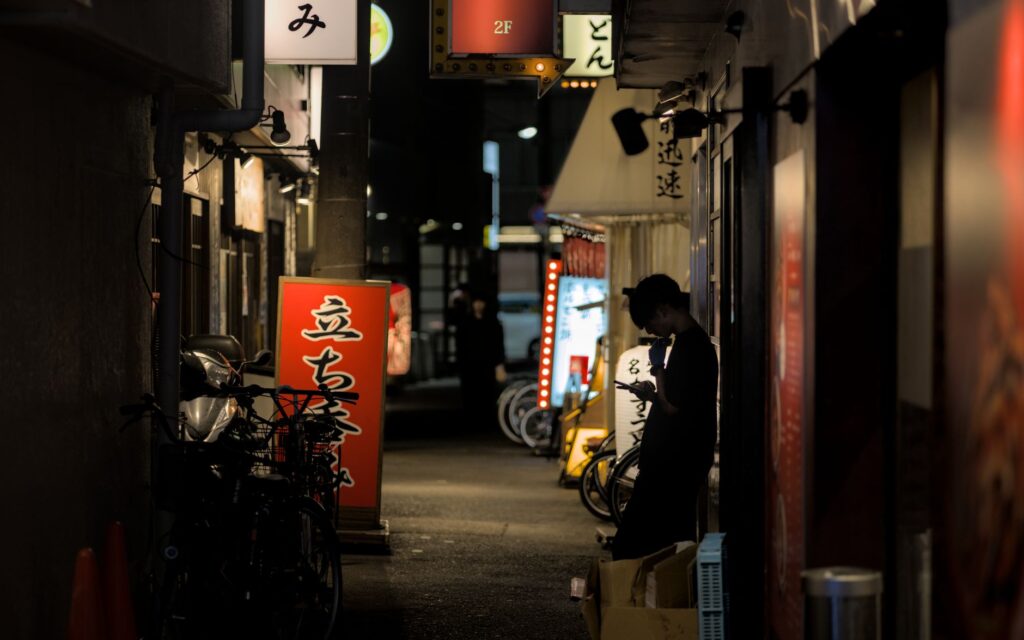
A pocket WiFi is a small router you rent and carry. It is still the better choice in a few cases:
- A family or group that always travels together and wants to share one connection.
- Someone whose phone is locked or does not support eSIM.
- Travelers who need a laptop or tablet online as well as their phone.
Two examples from official sites, checked in October 2026:
- Japan Wireless: “The ONE Plan” at about ¥3,751 for the first day plus about ¥950 per extra day in week one (less after that), plus a ¥500 delivery/pickup fee, on SoftBank’s 4G network, advertised as truly unlimited data, for up to 8 devices. Pick it up at Narita, Haneda, Kansai, Chubu, Fukuoka or New Chitose airports, have it delivered to your hotel, and return it in the prepaid envelope in any Japanese postbox. Check the exact return deadline when you book.
- Sakura Mobile: on docomo’s 4G/LTE network, marketed as unlimited. Its price simulator showed ¥6,300 for 4 days, ¥9,900 for 7 days, ¥18,300 for 14 days and ¥37,500 for 30 days, with 10% off for two or more devices. Pick up at Narita, Haneda, Kansai or Fukuoka airports, at your hotel or a post office, and return by midnight on your return date in a Japan Post mailbox.
Compare the total for your trip length: for one person, a pocket WiFi usually costs more than an eSIM, but for a family of four sharing one device it can come out cheaper.
Buying at the airport
If you arrive without a plan, you can still get connected at the airport.
- Narita: the airport lists 33 counters and machines before passport control on departure, including 9 SIM card vending machines in Terminals 1, 2 and 3. Rental counters include SoftBank Global Rental (07:00–21:00), J WiFi & Mobile, Telecomsquare, XCom Global, JAL ABC and AnyFone JAPAN, and there is a Rakuten Mobile counter in the Terminal 1 Central Building (4th floor, 08:00–20:00).
- Haneda: in Terminal 3 (international), the Mobile Center in the 2nd-floor arrival lobby is open 6:30–23:00, with a 24-hour unmanned Wi-Fi rental in front of it, and there is an AnyFone JAPAN counter (6:00–23:00). In Terminal 1, an AnyFone JAPAN vending machine on B1F sells prepaid SIM cards from 5:00 to 24:00.
Compare airport prices with what you can buy online. Buying an eSIM before you fly also means you can call a taxi app or check train times the moment you land. For getting into the city, see our Narita and Haneda to Tokyo guide.
How to set up a travel eSIM, step by step
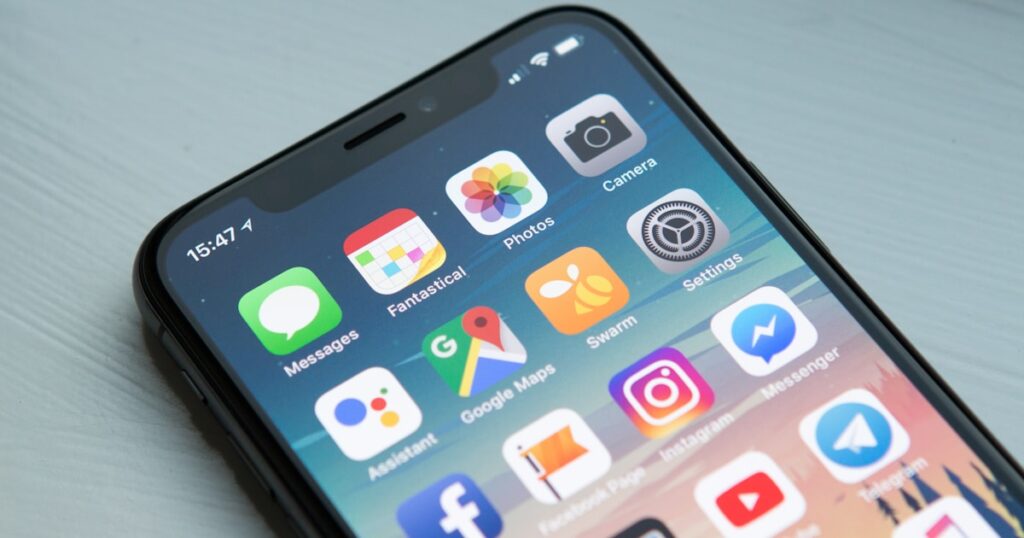
Before you leave home
- Check that your phone supports eSIM and is unlocked (see above).
- Buy your plan and install the eSIM while you are on Wi-Fi at home. Apple notes the iPhone must be connected to Wi-Fi or a hotspot during setup.
- Label the new line clearly, for example “Japan”, so you can tell it apart from your home line.
- Leave the eSIM line switched off until you land if your plan starts on first connection.
When you land (iPhone)
- Turn on the Japan eSIM line and turn on Data Roaming for that line. Airalo and Holafly both require data roaming to be on for their eSIMs.
- Go to Settings > Cellular > Cellular Data and choose the Japan eSIM as your data line.
- Decide what to do with your home line. On iOS 26, a “Turn On Travel eSIM” prompt offers “Travel eSIM Only” or “Travel eSIM and Current eSIM”. Keeping both lets you receive calls on your home number, but your home carrier may charge roaming fees, so turn off data roaming on the home line.
- FaceTime and iMessage keep working on your home number even when only the travel eSIM is on.
Android
The steps are similar: add the eSIM under your network or SIM settings (the exact menu name varies by phone), set it as the mobile-data SIM, and turn on roaming for it.
When you get home
Switch your home line back to mobile data. iOS 26 may do this automatically when you return. Delete the travel eSIM once its plan has finished, unless you can top it up for your next trip.
Free Wi-Fi in Japan
Free Wi-Fi exists, but do not rely on it as your only connection.
- Airports: “FreeWiFi-NARITA” covers all Narita terminals and the terminal shuttle buses, and Haneda has “HANEDA-FREE-WIFI”.
- Convenience stores: 7-Eleven ended its own free Wi-Fi in 2022, and FamilyMart’s ended the same year, according to news reports, so do not plan around them.
- Hotels: hotel Wi-Fi is the best place to download offline maps and back up photos before you head out.
- Apps: a “Japan Wi-Fi auto-connect” app exists for visitors; check the app store for its current status before relying on it.
Free networks can be slow, require sign-up every time, and are less secure, which is why a data plan of your own is worth the few dollars.
What you will use your phone for in Japan
It helps to know what you will actually be doing online, because it decides how much data you need and whether you need a hotspot.
- Navigation and trains: map apps show the right exit, platform and transfer, which matters in huge stations like Shinjuku and Umeda. This is the single most useful thing your phone does in Japan.
- Translation: camera translation for menus, signs and ticket machines, and conversation modes for talking with shop staff. These work best with a data connection, although some apps can work offline with downloaded language packs.
- Bookings: restaurant reservations, timed museum entry and sightseeing trains are often booked online, sometimes on the day.
- Messaging: staying in touch with your group and home over WhatsApp, LINE or similar apps uses little data.
- Payments and tickets: e-tickets, QR codes and digital passes need a working connection to load, even if they display offline afterwards.
Download offline maps of the cities you will visit while on hotel Wi-Fi, and screenshot important tickets and addresses, so that a weak signal never leaves you stuck.
Families, long stays and repeat visits
Families and groups
Do the sums for your group. One pocket WiFi for a family of four (for example ¥9,900 for 7 days with Sakura Mobile) can cost less than four separate eSIMs, but everyone has to stay near the device and someone has to keep it charged. Separate eSIMs give every adult their own connection, which matters if you split up during the day. A common middle path is an eSIM for each adult, with older children connected to a parent’s phone through the hotspot, if the plan allows sharing.
Long stays
For stays of a month or more, look at the 30-day plans from IIJ, povo, Airalo and Yesim. If you need a Japanese number for a longer stay, Mobal’s Voice+Data plans run from ¥1,650 a month for 1 GB up to ¥6,490 for 100 GB (or ¥9,900 for 200 GB) on docomo’s network, with no contract.
Repeat visitors
If you visit Japan often, an eSIM that can be topped up saves setting up a new one each trip. Airalo’s Japan eSIM can be recharged online with no expiry, and Ubigi plans are topped up in its app. Yesim’s Japan plans cannot be topped up, so you buy a new plan each time.
Common problems and quick fixes
- No data after landing: check that data roaming is on for the travel eSIM line, and that the eSIM is selected as your cellular-data line. Restarting the phone often helps.
- Data is slow: you may have passed the daily fair-use amount on an unlimited plan. It usually resets the next day.
- A website or app thinks you are abroad: some eSIMs use an IP address outside Japan, which can affect region-locked apps.
- Your laptop will not connect through your phone: check your plan’s hotspot rules; some limit sharing (Holafly, for example, to 1 GB a day).
- Calls do not work: travel eSIMs are data-only. For calls to your home number, keep your home line on (watch roaming charges) or use internet calls. If your phone cannot make mobile calls at all, check that VoLTE is on, since Japan has no 3G.
- Running out of data: top up if your provider allows it (Airalo and Ubigi do; Yesim does not, so buy a new plan).
Before-you-fly checklist
- Confirm your phone supports eSIM and shows “No SIM Restrictions” (iPhone: Settings > General > About).
- Make sure your phone supports 4G and has VoLTE turned on, since Japan has no 3G.
- Choose a plan for your trip length, with a few days’ margin.
- Install the eSIM on home Wi-Fi and label the line.
- Turn off data roaming on your home line to avoid surprise charges.
- Download offline maps and save key addresses (your hotels) in Japanese and English.
- If you need a Japanese number, arrange it in advance (and carry your original passport).
- If you rent pocket WiFi, note the pickup counter, opening hours and return method.
Which option is right for you?
| You are… | Choose |
|---|---|
| A solo traveler with a recent, unlocked phone | A travel eSIM such as Airalo, sized to your trip |
| A heavy user (video, hotspot) | An unlimited eSIM, after reading the fair-use terms |
| On a tight budget and comfortable with yen | A Japanese carrier’s visitor eSIM, such as povo Japan SIM or IIJ Japan Travel SIM |
| A family or group that sticks together | One pocket WiFi, or an eSIM for each adult |
| Using an older or locked phone | Pocket WiFi, or unlock the phone before you travel |
| Staying for months, or needing a Japanese number | A plan with a number, such as Mobal |
Jargon explained
- eSIM: a SIM built into the phone that you download as a profile instead of inserting a card.
- Unlocked: a phone that accepts SIMs and eSIMs from any carrier, not just the one that sold it.
- Data roaming: the setting that lets a line use a network outside its home country. Travel eSIMs need it on for their own line.
- Fair use: the point at which an “unlimited” plan slows down, for example after a set amount of data per day.
- Hotspot or tethering: sharing your phone’s connection with a laptop or another phone.
- VoLTE: voice calls over the 4G network. Needed for mobile calls in Japan now that 3G is gone.
- APN: a network setting some plans ask you to enter by hand; IIJ, for example, has you set it separately after installing.
Staying safe on public Wi-Fi
Free networks are convenient but open. Avoid logging in to banking or entering card details on them, prefer sites and apps that use secure connections, and switch to your own data plan for anything sensitive. This is one more reason a small data plan of your own is worth having.
Frequently asked questions
What is the best eSIM for Japan? For most visitors, a data-only travel eSIM from a major provider such as Airalo, installed before departure. On October 22, 2026, Airalo charged $17.50 for 10 GB over 15 days and $26.50 for 7 days of unlimited data. Compare with Holafly, Yesim, Ubigi, Saily and Japanese carriers’ visitor eSIMs for your trip length.
Is eSIM better than pocket WiFi in Japan? For one person with a compatible phone, usually yes: it is cheaper, there is nothing to pick up or return, and your phone does not depend on a second device. Pocket WiFi is better for groups who stay together and for phones that cannot use eSIM.
Will my phone work in Japan? If it supports 4G and is unlocked, almost certainly. Japan has no 3G network any more; docomo switched its 3G off on March 31, 2026. For mobile voice calls, your phone also needs VoLTE.
Do travel eSIMs include a Japanese phone number? No. Airalo, Holafly, Yesim and Ubigi Japan plans are data-only. Services such as Mobal provide a real Japanese number for visitors, with your original passport.
When should I install my eSIM? Before you leave home, while you are on Wi-Fi. Turn the line on, and turn on data roaming for it, when you land.
Can I buy a SIM or eSIM after arriving in Japan? Yes. Narita and Haneda have SIM vending machines and rental counters, IIJ eSIMs are sold through FamilyMart’s in-store machines, and BIC Camera sells IIJ’s unlimited physical SIM.
Can I use my eSIM as a hotspot? It depends on the provider. Yesim and Ubigi allow sharing; Holafly allows 1 GB a day. Check the plan before you buy if you need to connect a laptop.
Is free Wi-Fi good enough? Not on its own. Airports and hotels have free Wi-Fi, but convenience-store Wi-Fi has largely ended, and you will want maps and train times on the move.
Which Japanese networks do travel eSIMs use? Airalo uses SoftBank and KDDI, Holafly KDDI and SoftBank, Yesim KDDI, and Ubigi lists KDDI, NTT Docomo and SoftBank. IIJ’s eSIM uses docomo, and povo uses au (KDDI).
Can I keep using WhatsApp or iMessage on my home number? Yes. Messaging apps work over any data connection, so they keep using your home account while the travel eSIM provides the data. Apple notes that FaceTime and iMessage keep working on your home number even with only the travel eSIM switched on.
Does Japan have 5G? Yes. Airalo, for example, lists the SoftBank and KDDI networks as 5G for its Japan eSIM, and IIJ’s unlimited SIM uses au’s 5G/4G network. You will still be on 4G in many places, which is fast enough for everything a traveler needs.
What if I lose a rented pocket WiFi? Rental companies charge for lost or damaged devices. Japan Wireless, for example, offers optional device protection at checkout. Read the terms before you rent, and keep the device and its charger together.
Plan the rest of your trip
- Japan SIM card guide
- Narita and Haneda to central Tokyo
- Suica vs PASMO: Japan’s IC cards
- Cash or card in Japan
- Best translation apps for Japan
- Essential Japanese phrases for travelers
- Japan travel tips for first-timers
Sources: official Japan plan pages of Airalo, Holafly, Yesim and Ubigi (prices read October 22, 2026); povo (KDDI) news release, March 2026; IIJ press releases (November 2025, June 2026); Mobal; LINE help center; Apple Support (eSIM and carrier-lock articles, September 2026); NTT docomo 3G closure notice; KDDI 3G closure notice; Narita Airport and Haneda Airport official sites; Japan Wireless and Sakura Mobile official sites (checked October 2026). Prices and hours change; if you spot something out of date, please let us know.
Going to Japan? Speak Japanese with confidence.
Hirameki Japanese — camera translate for menus and signs, a two-way conversation mode, and furigana + romaji on every phrase. Free to download with kana charts, conversation mode and starter words; a one-time purchase unlocks everything.

Plan your Japan trip
Two things every first-timer should book
Some links are affiliate links. If you book through them we may earn a small commission at no extra cost to you.