
In this guide
- What you will use a translation app for
- The apps at a glance
- Google Translate
- Apple Translate and AirPods Live Translation
- VoiceTra
- DeepL
- Papago
- Microsoft Translator
- Hirameki Japanese (our app)
- Pocketalk and other devices
- Which apps work offline for Japanese
- The best app for each situation
- Tips for camera and voice translation
- Where translations go wrong
- Reading a Japanese menu with your phone
- Signs worth recognizing
- Why a little katakana goes a long way
- When the app is not enough
- Emergencies: apps and phone lines
- Set up before you fly
- Privacy and security
- If English is not your first language
- What changed in 2025–2026
- Frequently asked questions
- Plan the rest of your trip
What you will use a translation app for
JNTO says English is generally understood in tourist areas, airports, hotels and on major transport, but not always in rural areas and small shops. In a Japan Tourism Agency survey of departing visitors (November 2025 to January 2026), 15.4% named communicating with staff as a problem they had faced, second only to the lack of rubbish bins.
In practice, you will reach for a translation app in a handful of situations:
- Menus at small restaurants and izakaya, and the buttons on ramen-shop ticket machines.
- Signs and notices on local lines, bus stops, temples and shops.
- Short conversations with shop staff, taxi drivers, hotel staff at small inns and people you ask for directions.
- Problems: a lost item, a pharmacy visit, a misunderstanding about a bill.
No single app is best at all of these, which is why most travelers install two.
The apps at a glance
| App | Price | Camera | Conversation | Offline for Japanese |
|---|---|---|---|---|
| Google Translate | Free | Yes (instant and photos) | Yes, plus Live translate | Offline downloads exist; check Japanese in the app |
| Apple Translate (iPhone) | Free, built in | Yes | Yes, plus AirPods Live Translation | Yes, for downloaded languages |
| VoiceTra | Free | No | Yes (33 languages) | No, needs internet |
| DeepL | Free, paid plans | Yes | Voice features (plan-dependent) | Not stated |
| Papago | Free | Yes (photo) | Yes (1:1) | Text only |
| Microsoft Translator | Free | Yes (image) | Speech; multi-device conversation retired | Offline packs exist; check Japanese |
| Hirameki Japanese (ours) | Free download, one-time unlock | Yes | Yes, unlimited free | Yes, with Apple’s language packs |
Google Translate
Google Translate is the default choice for many travelers, and it is free. Its official listing covers text, offline use, instant camera translation, photo translation, conversations, handwriting and transcription in “up to 249 languages”, with feature support varying by language.
- Camera: choose the languages, tap Camera and point at the text, or translate a saved photo. Google notes that accuracy depends on how clear the text is, and small or stylized text may translate poorly, which matters for hand-written menus.
- Offline: you can download languages for offline use by tapping the download icon; downloaded languages also work for camera translation offline. Check that Japanese shows a download option on your device before you travel.
- Live translate: real-time spoken translation, with or without headphones, in more than 70 languages, launched in Japan on Android and iOS on March 27, 2026. Conversation mode plays the translations aloud as you take turns, and a face-to-face mode splits the screen. Offline live translation is currently limited to Pixel 9, 10 and 11 phones.
- Newer model: Google announced in June 2026 that its “Gemini 3.5 Live Translate” model, which keeps the speaker’s tone and pace with a delay of a few seconds, is rolling out in stages.
On iPhone, Google Translate needs iOS 18 or later.
Apple Translate and AirPods Live Translation
If you have an iPhone, you already have Apple’s Translate app, and Japanese is fully supported.
- Offline: its “On-device mode” enables a fully offline experience for downloaded languages, which is ideal underground or in the mountains.
- Conversation: a Conversation tab with a single microphone button handles back-and-forth speech.
- Camera: translate text around you using the camera view. Japanese is also supported in system-wide translation, Visual Look Up and Live Text, so you can translate text in photos and screenshots.
- Live Translation in Messages, Phone and FaceTime: Japanese is included.
Live Translation with AirPods
With compatible AirPods, you hear the other person’s Japanese translated into your language in your ear. Apple’s requirements:
- AirPods 4 (with active noise cancellation), AirPods 5, AirPods Pro 2, AirPods Pro 3 or AirPods Max 2, on the latest firmware.
- iPhone 15 Pro or later, iOS 26 or later, with Apple Intelligence turned on.
- Both languages downloaded first; processing then happens on the iPhone.
Apple notes that some features may not be available in all regions or languages, so try it at home before your trip.
VoiceTra
VoiceTra is a free speech-translation app developed by NICT, Japan’s National Institute of Information and Communications Technology, and JNTO recommends it as an app “geared towards travel-related conversations”.
- Languages: 33, with text input for languages that do not support speech.
- Internet required: it does not work offline, and data charges are yours.
- Research app: the listing notes it was developed for research purposes and features may be unavailable when the server is down.
- 2026 note: in August 2026 the service was briefly suspended because of a security flaw and then fully resumed with version 9.2.1. Update to the latest version before you use it.
- Requirements: iOS 16 or later, Android 10 or later.
VoiceTra is a good second app for conversations, especially for speakers of languages other than English.
DeepL
DeepL is known for natural-sounding translation of longer text, and its app supports Japanese, including real-time camera translation, photo translation, dictation and text-to-speech. A transliteration feature shows Japanese in the Latin alphabet, which helps you read names aloud.
- Free plan: 50,000 characters a month and one file translation a month.
- Paid plans: from about €7.49 a month (billed annually, EU price) with more characters and minutes of DeepL Voice; prices vary by country.
- DeepL Voice: for in-person conversations you pick two languages and pass the phone back and forth. In September 2026 DeepL also launched voice-preserving speech-to-speech interpretation in 14 languages including Japanese, aimed at business use.
- Offline: not mentioned in the official listing.
DeepL is best for reading long text, such as an email from a ryokan or a rule sheet, rather than as your main street app.
Papago
Naver’s Papago supports 14 languages including Japanese and is free. It offers photo translation, voice translation, a one-to-one conversation mode and handwriting input, and its text translation works without an internet connection. It is particularly popular with Korean speakers.
Microsoft Translator
Microsoft Translator is still available and free, with text, real-time speech and image translation in more than 100 languages; for Japanese, text, speech, image and text-to-speech are all supported, and offline packs can be downloaded. Its multi-device conversation feature, which let several people join a translated conversation on their own phones, was retired with version 26.7.1 on June 30, 2026, so older guides that recommend it for group conversations are out of date.
Hirameki Japanese (our app)
Full disclosure: Hirameki Japanese is our own app. We built it because the general translation apps translate words but do not help you say things yourself. Here is exactly what it does, so you can judge whether it fits you:
- Camera translate for menus and signs.
- Conversation mode: you speak English, the other person speaks Japanese, and both sides are translated and read aloud. It is free and unlimited.
- Say it right: type English and get natural Japanese with furigana (reading aids), romaji, audio and a word-by-word breakdown, so you can show it or try saying it.
- Learn as you go: full hiragana and katakana charts with quizzes, more than 1,100 flashcards (JLPT N5 to N3 words and themed sets), and shadowing and listening practice.
- Offline: once you download Apple’s English and Japanese language packs (Settings > Apps > Translate), translation and speech run on your device.
Free vs paid: the free version includes all kana charts and quizzes, unlimited conversation mode, the first 40 beginner words and two themed sets, one shadowing and one listening book, five translations a day and saved phrases. A one-time purchase, with no subscription, unlocks all flashcards and books and unlimited translation. There are no ads and no account. It runs on iPhone and iPad with iOS 18 or later. More details are on our Hirameki Japanese page.
Pocketalk and other devices
Dedicated translation devices still exist, mainly for people who prefer not to use a phone. Pocketalk’s official Japanese store sold the Pocketalk S2 from ¥36,300 and the S2 Plus from ¥39,930 (with two years of global data), or ¥56,100 to ¥59,400 with five years of data, in October 2026. If you own an older Pocketalk W, note that its translation service has ended. For most travelers, a phone app does the same job for free.
Which apps work offline for Japanese
Offline translation matters underground, in the mountains, and if your data runs out. Based on the official listings in October 2026:
- Works offline: Apple Translate (downloaded languages, on-device mode), Hirameki Japanese (with Apple’s language packs) and Papago (text only).
- Offline downloads available, but check Japanese on your device: Google Translate and Microsoft Translator.
- Needs internet: VoiceTra. DeepL does not list an offline mode.
Even with an offline app, a data plan makes life easier for maps and live translation. Airalo’s Japan eSIM installs before you fly; compare options in our eSIM guide.
The best app for each situation
| Situation | Try | Why |
|---|---|---|
| Reading a menu | Google Translate camera, Apple Translate camera, Hirameki camera | Point and read; photograph the menu if the live view jumps |
| Ramen-shop ticket machine | Any camera translator | Buttons are often text-only Japanese |
| Talking to shop or hotel staff | Google Live translate, Apple Translate conversation, Hirameki conversation mode, VoiceTra | Turn-taking voice translation |
| A longer conversation with AirPods | Apple Live Translation | Hear the translation in your ear (iPhone 15 Pro or later) |
| A long email or rule sheet | DeepL | Natural text translation |
| Underground or no signal | Apple Translate, Hirameki (offline packs), Papago (text) | Offline |
| Saying something yourself | Hirameki Japanese | Japanese with furigana, romaji and audio |
Planning your trip? Get our free 7-Day Japan Itinerary (PDF)
Get the free guide →Tips for camera and voice translation
Camera translation
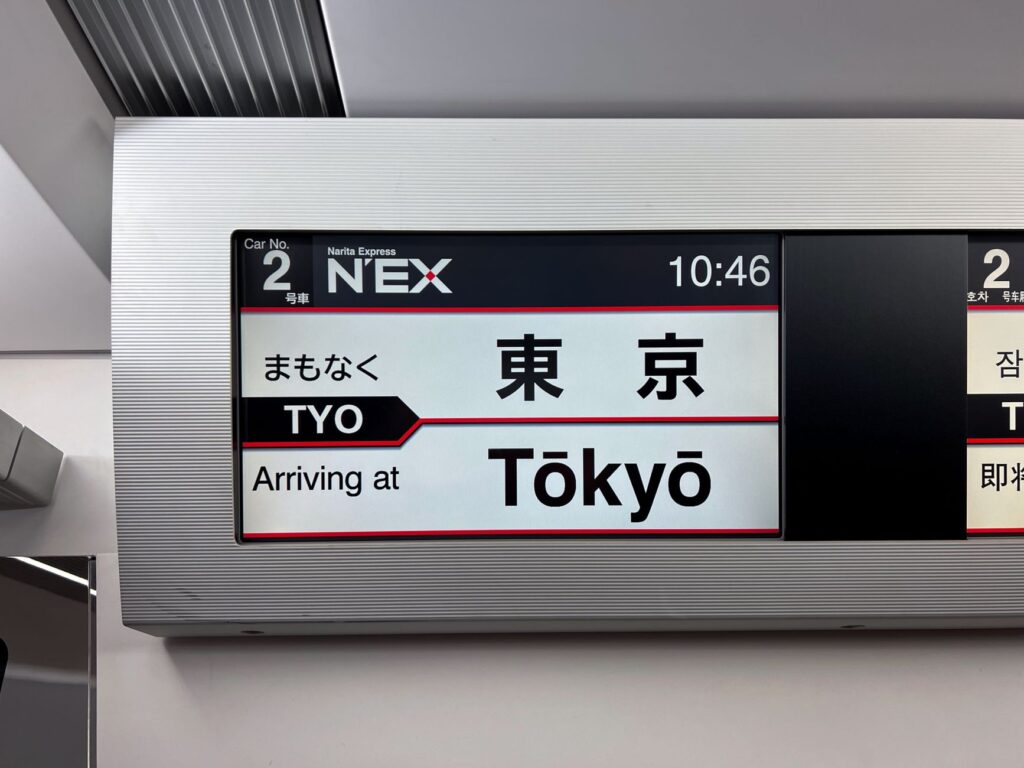
- Hold the phone steady and close; take a photo and translate the photo if the live view keeps changing.
- Expect trouble with small, stylized or handwritten text, as Google itself notes. Ask staff when a translation makes no sense.
- For allergies, do not rely on a menu translation alone. Japan’s mandatory allergen labels apply to packaged foods, not restaurant menus. Since April 1, 2026 there are nine mandatory items (shrimp, crab, walnut, wheat, buckwheat, egg, milk, peanut and cashew), and cashew has a two-year transition, so some packs may not show it yet. Show staff a written allergy card instead.
Voice translation
- Speak in short, simple sentences, one idea at a time.
- Show the screen as well as playing the audio; reading is often easier in a noisy shop.
- Start with “Sumimasen” (excuse me) to get someone’s attention politely; JNTO lists it as the word for calling staff.
- Be patient with live translation delays of a few seconds.
Where translations go wrong
Machine translation of Japanese has improved a lot, but a few patterns still trip it up. Knowing them helps you spot a bad translation before it causes a problem:
- Missing subjects. Japanese often leaves out who is doing something, so the app has to guess “I”, “you” or “we”. If a translated sentence seems to say the wrong person did something, that is usually the reason.
- Names translated as words. A station, street or shop name may be translated word by word instead of being kept as a name. Compare it with the romaji on the sign or in your map app.
- Names read the wrong way. Kanji can have several readings, so an app may read a place name aloud wrongly. The same characters 日本橋 are read Nihonbashi in Tokyo but Nipponbashi in Osaka. Show the written name to a taxi driver rather than relying on the audio.
- Soft refusals. Staff may decline politely with ちょっと… (chotto, literally “a little”), trailing off. An app may translate only the literal word; in context it usually means “that is difficult” or “no”.
- Japanese era years. Receipts, forms and some labels use the Reiwa era: 令和8年 (Reiwa 8) is 2026. Apps do not always convert it.
- Food date labels. 賞味期限 (shōmi kigen) is a “best before” date for quality, while 消費期限 (shōhi kigen) is a “use by” date for safety. Both may translate as “expiry date”.
When something matters, such as an allergy, a medicine or a booking, check the translation a second way: reverse-translate it, try a second app, or ask staff to confirm in writing.
Reading a Japanese menu with your phone
Menus are where most travelers first open a translation app. A few habits make the result far more useful:
- Take a photo instead of using the live view for a long menu. The translation stays still and you can zoom in.
- Translate one section at a time. Aim at one column of dishes rather than the whole page.
- Expect odd dish names. Apps often translate names word for word. Oyakodon (親子丼) can come out as “parent and child bowl”; it is chicken and egg simmered over rice. When a translation looks strange, search the romaji name instead.
- Check the price line for 税込 (tax included) or 税抜 / 税別 (before tax).
- Use the pictures. Many casual restaurants show photos or plastic food models, and pointing works everywhere.
At ramen shops and other casual places with a ticket machine by the door, you buy a meal ticket first, hand it to staff, then sit down, according to the Tokyo government’s GO TOKYO guide. Its ramen guide notes that the machines take cash and that buttons may be labeled only in Japanese, with pictures and prices beside them. A camera translator aimed at the buttons solves this quickly; carry some coins and ¥1,000 notes.
These words appear on menus constantly and are worth recognizing:
| Japanese | Reading | Meaning |
|---|---|---|
| 税込 | zeikomi | Tax included |
| 税抜 / 税別 | zeinuki / zeibetsu | Before tax |
| 定食 | teishoku | Set meal: a main dish with rice, soup and sides |
| 大盛り | ōmori | Large portion |
| 並 / 並盛り | nami / namimori | Regular portion |
| おすすめ | osusume | Recommended |
| 本日の〜 | honjitsu no | Today’s … (today’s special) |
| 期間限定 | kikan gentei | Limited-time item |
| 品切れ / 売り切れ | shinagire / urikire | Sold out |
| 食券 | shokken | Meal ticket (buy it at the machine first) |
| 飲み放題 | nomihōdai | All-you-can-drink |
| 食べ放題 | tabehōdai | All-you-can-eat |
| お通し | otōshi | Small starter served with drinks at izakaya, usually charged per person |
| 現金のみ | genkin nomi | Cash only |
| 辛口 / 甘口 | karakuchi / amakuchi | Spicy or dry / mild or sweet |
| 替え玉 | kaedama | Extra serving of noodles for your ramen broth |
GO TOKYO describes otoshi as “usually charged per person” and “generally not optional”, so a small charge on an izakaya bill is normal, not a mistake. Water is usually free, and Japan has no tipping culture, according to JNTO.
Signs worth recognizing
Big stations and tourist sights have English signs, but 10.9% of visitors in the Japan Tourism Agency survey still named a lack of multilingual signs as a problem. A camera translator handles most of the rest. A few words are worth knowing by sight, because you will often see them before you have time to open an app:
| Japanese | Reading | Meaning |
|---|---|---|
| 入口 | iriguchi | Entrance |
| 出口 | deguchi | Exit |
| 改札 | kaisatsu | Ticket gates |
| 乗り換え / 乗換 | norikae | Transfer |
| 女性専用車 | josei sen’yōsha | Women-only car (at set times) |
| 優先席 | yūsenseki | Priority seats |
| 押 / 引 | osu / hiku | Push / Pull |
| お手洗い / トイレ | otearai / toire | Toilet |
| 男 / 女 | otoko / onna | Men / Women |
| 禁煙 | kin’en | No smoking |
| 喫煙所 | kitsuenjo | Smoking area |
| 営業中 | eigyōchū | Open |
| 準備中 | junbichū | Preparing (closed for now) |
| 定休日 | teikyūbi | Regular closing day |
| 立入禁止 | tachiiri kinshi | No entry |
| 撮影禁止 | satsuei kinshi | No photography |
| 土足禁止 | dosoku kinshi | No outdoor shoes: take your shoes off |
At station ticket machines, look for a language button before you translate anything. Tokyo Metro’s machines have an “International Languages” button at the top right, and you can choose your destination by alphabet or by line and station number.
Why a little katakana goes a long way
Japanese is written with three scripts: hiragana, katakana and kanji. Katakana is mostly used for words borrowed from other languages, which makes it the traveler’s shortcut. Once you can sound it out, a surprising number of menu items and signs turn out to be English words in disguise:
- コーヒー (kōhī): coffee
- ビール (bīru): beer
- メニュー (menyū): menu
- ホテル (hoteru): hotel
- タクシー (takushī): taxi
- チケット (chiketto): ticket
- カード (kādo): card
- トイレ (toire): toilet
- コンビニ (konbini): convenience store
- ハンバーガー (hanbāgā): hamburger
Katakana has 46 basic characters, which is a manageable goal for the weeks before a trip. Reading even slowly changes how a menu or a station feels: you start recognizing words before the app finishes. Translation apps help here too. DeepL’s transliteration shows Japanese in the Latin alphabet, and Hirameki Japanese shows furigana and romaji on every phrase, with free hiragana and katakana charts and quizzes.
When the app is not enough
Translation apps fail sometimes: a noisy station, a handwritten sign, a dead battery, or a conversation that needs real judgment. These fallbacks work well:
- Write it down. Short written English is often easier for staff to read than spoken English, and a translated note on your screen is easier to read than live audio.
- Ask for an English menu: 英語のメニューはありますか。(Eigo no menyū wa arimasu ka?) is in JNTO’s phrase handbook.
- Point: JNTO’s handbook also gives あの人が食べているのと同じのをください。(“I’d like what that person is eating.”)
- Ask your hotel to call a restaurant or write a note for a taxi driver.
- Call the JNTO TIC Call Center (050-3416-0010, 9:00–17:00 daily) for sightseeing questions in English, Chinese, Korean or Japanese.
- For a dispute with a shop, restaurant, bar, transport company or hotel, the Consumer Hotline for Tourists (03-5449-0906, weekdays 10:00–12:00 and 13:00–16:00) gives advice in English, Chinese, Korean, Thai, Vietnamese, French and Japanese. It does not handle lost items, accidents or illness, and it has no enforcement power.
- For lost items, contact the place where you lost it first, then go to a koban (police box); Tokyo’s police note that reports by email are not accepted.
Emergencies: apps and phone lines
For a real emergency, call rather than rely on an app.
- 110, police: for accidents and crimes. Tokyo’s police say an interpreter will join the call if you do not speak Japanese. For non-urgent police advice, #9110 is available in English in Tokyo.
- 119, fire and ambulance: Tokyo’s 119 centers have English-speaking staff on duty at all times and connect interpreters for Chinese, Korean, Portuguese and Spanish. The operator first asks whether it is a fire or an ambulance. If you cannot call, show someone the phrase 救急車を呼んでください。(“Please call an ambulance.”)
- Tokyo Fire Department app: free, in English, Japanese, Korean and Chinese, with a button to call 119 and a CPR video.
- Japan Visitor Hotline: 050-3816-2787 (from abroad +81-50-3816-2787), 24 hours, in English, Chinese and Korean, for accidents, illness and disasters as well as tourist information.
- JNTO TIC Call Center: 050-3416-0010, opened April 1, 2026, 9:00–17:00 daily, for sightseeing questions.
- Tokyo “HIMAWARI” medical information: 03-5285-8181, 9:00–20:00 daily, in English, Chinese, Korean, Thai and Spanish, to find hospitals with foreign-language support.
- Safety tips app: free, supervised by the Japan Tourism Agency, with earthquake and weather alerts in 15 languages.
Our essential Japanese phrases guide has emergency phrases you can show on screen.
Set up before you fly
Ten minutes on home Wi-Fi saves a lot of fumbling at a ramen-shop counter. Work through these steps in order.
1. Choose your two apps
Pick one general translator and one second app. Typical pairs are Google Translate with VoiceTra (on Android or iPhone), Apple Translate with Google Translate (on iPhone), or Apple Translate with Hirameki Japanese (on iPhone, if you also want to say phrases yourself). Two apps give you a fallback when one misreads a sign or a server is unavailable; VoiceTra’s own listing warns that its features may be disabled when the server is down.
2. Download Japanese for offline use
- Google Translate: open the language list and tap the Download icon next to the language. Google notes that a language with no Download option cannot be downloaded. Once a language is downloaded, camera translation also works offline for it.
- Apple Translate: download Japanese and your own language in the Translate app, then use On-device mode for a fully offline experience.
- Hirameki Japanese: download Apple’s English and Japanese language packs in Settings > Apps > Translate; the app then translates and speaks on your device.
- Microsoft Translator: offline packs can be downloaded; check whether Japanese is offered on your device.
- Papago: text translation works without a connection; nothing extra to set up.
3. Test the camera at home
Point each app at any Japanese text you have: a snack packet from an Asian grocery, a product label, or a photo of a menu on your laptop screen. Try both the live view and translating a saved photo. You will quickly learn which app reads small print better on your particular phone, and where the buttons are.
4. Rehearse a conversation
Open the conversation mode, choose English and Japanese, and say a simple sentence such as “Where is the toilet?” or “Do you have an English menu?” Check that the app reads the Japanese aloud, and find the button that switches who is speaking. If you plan to use AirPods Live Translation, download both languages first, make sure Apple Intelligence is turned on and the AirPods firmware is up to date, then try it with a friend or a video.
5. Sort out data and power
Live translation, VoiceTra and DeepL need a connection, and so do maps. The easiest option for most visitors is an eSIM installed before departure: Airalo, Yesim and Saily all sell Japan plans. Camera translation keeps the screen and camera running, so carry a small power bank on days out.
6. Prepare a few things in writing
Some things are better written once, carefully, than translated on the spot: your hotels’ addresses in Japanese (copy them from the booking confirmation), an allergy or dietary card, and any medical condition and the medicines you take. Save them as favorites in your translation app or as screenshots, so they work with no signal.
Privacy and security
A translation app sees everything you type or say into it, so a little care is sensible:
- Cloud or on-device: many translation features send your text or audio to a server. On-device modes keep the work on the phone: Apple Translate has an On-device mode, and Apple says that for AirPods Live Translation, once both languages are downloaded, processing happens on the iPhone.
- Keep sensitive details out: do not type passport numbers, card numbers or passwords into a translator. Show staff the document itself instead.
- Keep apps updated: VoiceTra’s August 2026 flaw, described as an “incorrectly specified destination” in versions 9.1.3 and 9.2.0, carried a risk that input could be stolen or results could be wrong. NICT said no attacks had been confirmed and fixed it in version 9.2.1.
- Download from the official stores and check the developer’s name: VoiceTra is published by NICT, Papago by Naver, and Translator by Microsoft.
If English is not your first language
Many of these tools work well beyond English, which matters if you are traveling with family or friends who speak other languages:
- Google Translate: up to 249 languages, with feature support varying by language.
- Apple Translate: Japanese is one of 21 languages in the Translate app. AirPods Live Translation covers English, French, German, Italian, Japanese, Korean, Chinese (Mandarin), Portuguese (Brazil) and Spanish.
- VoiceTra: 33 languages, with text input for languages that do not support speech.
- Microsoft Translator: more than 100 languages for text, speech and image translation.
- Papago: 14 languages, particularly popular with Korean speakers.
- DeepL Voice: speech-to-speech interpretation in 14 languages including Japanese.
Phone help lines also cover several languages: the Japan Visitor Hotline in English, Chinese and Korean; Tokyo’s HIMAWARI medical line in English, Chinese, Korean, Thai and Spanish; and Tokyo’s 119 interpretation in English, Chinese, Korean, Portuguese and Spanish.
What changed in 2025–2026
- Google Translate’s Live translate launched in Japan on Android and iOS (March 27, 2026), and Google began rolling out a new Gemini-based live translation model (June 2026).
- Apple’s Live Translation with AirPods supports Japanese, with iOS 26 or later.
- Microsoft Translator retired multi-device conversations (June 30, 2026).
- VoiceTra was briefly suspended over a security flaw in August 2026 and fully resumed with version 9.2.1.
- DeepL launched voice-preserving speech-to-speech interpretation including Japanese (September 2026).
- Pocketalk W’s translation service has ended.
- JNTO opened a TIC Call Center for tourist questions (April 1, 2026).
Frequently asked questions
What is the best translation app for Japan? For most people, Google Translate for its camera and live translation, plus Apple Translate on iPhone for offline use. Add VoiceTra for travel conversations, and DeepL for long text.
Does Google Translate work offline in Japan? Google Translate supports offline downloads, and downloaded languages work for camera translation offline. Check that Japanese is downloadable on your device before you travel. Offline live translation is limited to Pixel 9, 10 and 11 phones.
Can AirPods translate Japanese? Yes, with Apple’s Live Translation: compatible AirPods, an iPhone 15 Pro or later on iOS 26 or later, Apple Intelligence on and both languages downloaded.
Is VoiceTra still available? Yes. It was briefly suspended in August 2026 because of a security flaw and fully resumed with version 9.2.1. It needs an internet connection.
Is Microsoft Translator still good for group conversations? Not any more: its multi-device conversation feature was retired on June 30, 2026. The app still translates text, speech and images.
Do I need a Pocketalk? Most travelers do not; phone apps do the same for free. If you have an older Pocketalk W, its translation service has ended.
Which app helps me actually speak Japanese? Apps that show Japanese with reading aids and audio help most. Our app, Hirameki Japanese, shows furigana and romaji with audio and includes kana charts and flashcards; general translators focus on translating rather than teaching.
Can a translation app read handwritten menus? Sometimes. Clear printed text works best; handwriting and stylized fonts often translate poorly. Ask staff, or point to what other diners are eating.
Is Google Translate or Apple Translate better for Japan? Both handle Japanese. Google Translate covers more languages and works on Android and iPhone; Apple Translate is built into the iPhone, has a fully offline On-device mode and links to AirPods Live Translation. On an iPhone, installing both gives you a fallback when one struggles with a sign.
Do translation apps work without internet in Japan? Some do. Apple Translate (downloaded languages), Hirameki Japanese (with Apple’s language packs) and Papago (text only) work offline. Google Translate and Microsoft Translator offer offline downloads; check Japanese on your device. VoiceTra needs a connection.
Are translation apps free? Google Translate, Apple Translate, VoiceTra, Papago and Microsoft Translator are free. DeepL has a free plan with 50,000 characters a month and paid plans. Hirameki Japanese is free to download, with a one-time purchase to unlock everything.
Can I use a translation app with a taxi driver? Yes for simple conversation, but for the destination show the address or place name written in Japanese rather than playing audio. Apps sometimes read kanji place names the wrong way, and a written address is clear at a glance.
Which app is best if I do not speak English? Check your language in each app. Google Translate lists up to 249 languages, Microsoft Translator more than 100, VoiceTra 33 and Papago 14. Apple’s Translate app supports 21 languages, and AirPods Live Translation fewer. A dedicated device such as a Pocketalk can also suit an older relative who prefers not to use a smartphone.
What should I use in an emergency? Call 110 (police) or 119 (fire and ambulance); interpreters are available. The Japan Visitor Hotline (050-3816-2787) helps 24 hours in English, Chinese and Korean.
Plan the rest of your trip
- Essential Japanese phrases for travelers
- Traveling Japan without speaking Japanese
- Best eSIM for Japan
- Cash or card in Japan
- Suica vs PASMO
- Hirameki Japanese app
Sources: official App Store listings and help pages for Google Translate, Apple Translate, DeepL, VoiceTra, Papago and Microsoft Translator; Apple Support and iOS feature availability; Google Workspace Blog; Impress Watch; NICT notices; DeepL (pricing, September 2026 release); Pocketalk official store; Japan Tourism Agency visitor survey (April 2026); JNTO (Japanese language, hotline, TIC Call Center); Tokyo Metropolitan Police Department; Tokyo Fire Department; Tokyo Metropolitan Government (HIMAWARI); Consumer Affairs Agency (allergen labeling); our own app page for Hirameki Japanese (checked October 2026). Features change often; if you spot something out of date, please let us know.
Going to Japan? Speak Japanese with confidence.
Hirameki Japanese — camera translate for menus and signs, a two-way conversation mode, and furigana + romaji on every phrase. Free to download with kana charts, conversation mode and starter words; a one-time purchase unlocks everything.

Plan your Japan trip
Two things every first-timer should book
Some links are affiliate links. If you book through them we may earn a small commission at no extra cost to you.